

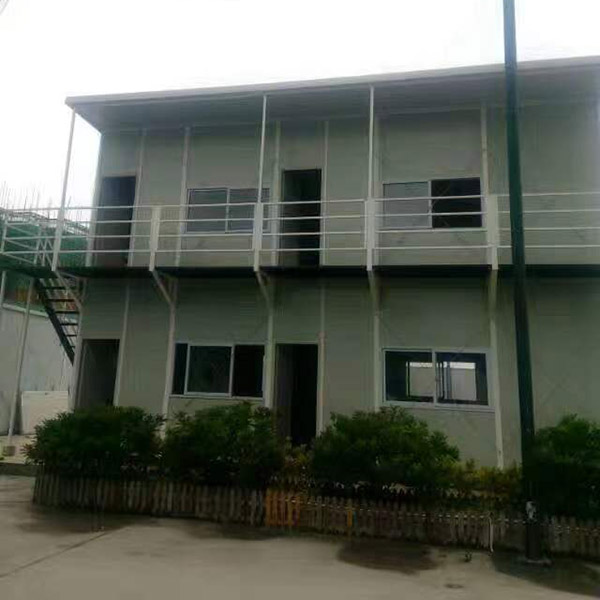
You want fast and reliable Wi-Fi and electricity in your container office. The quickest ways include running an Ethernet cable from your house, using a Wi-Fi extender for short distances, or setting up powerline networking if both buildings share the same electrical system. Many people choose Wi-Fi extenders because they are cheap and easy to install, but Ethernet cables offer the most stable connection. Always check your budget, your DIY skills, and local regulations before you start any project.
Key Takeaways
Choose an Ethernet cable for the fastest and most reliable internet connection to your container office.
Wi-Fi extenders are a budget-friendly option for boosting your existing signal, but they may reduce speed.
Consider powerline networking for a simple setup that uses your home's electrical wiring to extend internet access.
For a permanent electricity solution, running an underground power cable ensures consistent power for your office needs.
Solar power offers an eco-friendly alternative, but make sure to size your system based on your daily energy requirements.
Get Wi-Fi to Your Container Office
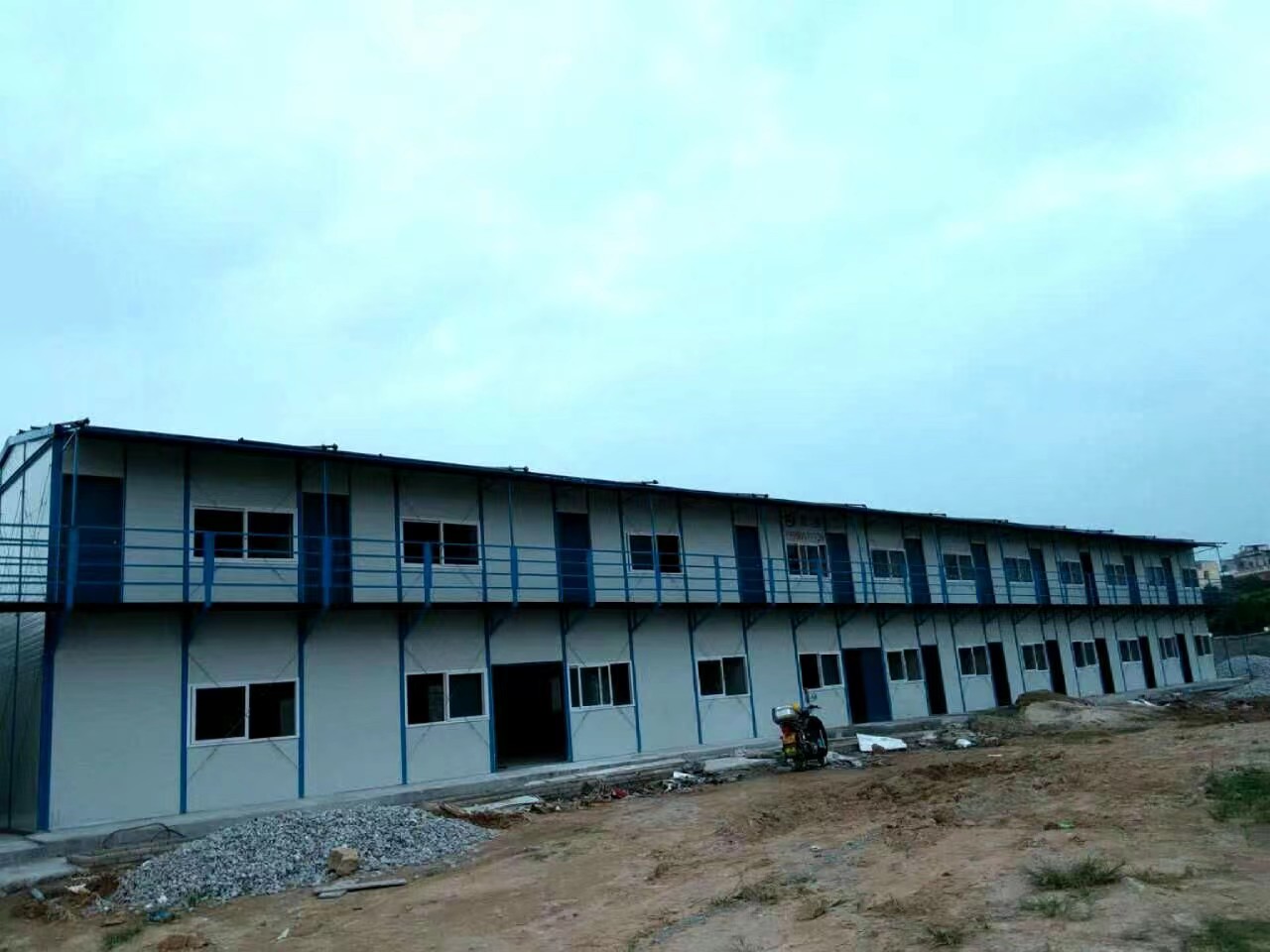
You want to get wifi to your container office or garden office cabin. You have several options, and each one works best for different distances, budgets, and technical skills. Let’s break down the most popular ways to get wifi and internet to your workspace.
Ethernet Cable and Power over Ethernet
Running an Ethernet cable from your house to your container office gives you the most reliable and fastest connection. You can use Power over Ethernet (PoE) to send both power and data through one cable, which is perfect if you want to avoid extra wiring.
Pros:
Delivers stable, high-speed wifi and internet.
Works well for video calls, streaming, and large file transfers.
PoE can power devices like cameras or access points.
Cons:
You need to dig a trench if you want to bury the cable.
Long cable runs can get expensive.
You may need to drill holes in walls.
How to set it up:
Measure the distance from your house to your container office.
Buy outdoor-rated Ethernet cable (Cat6 or better).
Use a PoE injector if you want to power devices.
Bury the cable at least 18 inches deep for safety.
Connect the cable to a wifi router or access point inside your garden office cabin.
Tip: Use conduit to protect the cable from water and animals.
Wi-Fi Extender and Repeater
Wi-fi extenders and repeaters boost your existing wifi signal so it reaches your container office. You just plug them in between your house and your garden office cabin.
Pros:
Easy to install—no cables needed.
Affordable for most budgets.
Good for short distances with few walls.
Cons:
Extenders can add latency because they receive and resend data.
Bandwidth drops as you add more extenders.
Placement is critical; you may need more units than you think.
Common issues with wifi extenders:
Latency increases as data hops from device to device.
Distance, walls, and interference can slow down your wifi.
You may not get full internet speed in your container office.
How to set it up:
Plug the extender halfway between your main router and your container office.
Test the signal strength in your garden office cabin.
Move the extender if you need a stronger wifi signal.
Note: If you want to get wifi to a distant container office, extenders may not work well.
Powerline Networking
Powerline adapters use your home’s electrical wiring to send wifi and internet to your container office. You plug one adapter into a wall socket near your router and another in your garden office cabin.
Pros:
Simple setup—no digging or long cables.
Stable and high-speed data transfer.
Reliable for most outbuildings on the same electrical system.
Cons:
Both buildings must share the same electrical panel.
Old or noisy wiring can reduce speeds.
Not suitable for separate utility meters.
Performance facts:
Some kits, like the TL-WPA2220KIT, support wireless speeds up to 300 Mbps.
The TL-WPA4220KIT can reach up to 600 Mbps in ideal conditions.
Actual speeds depend on your wiring and electrical noise.
How to set it up:
Plug one adapter into a socket near your router and connect it with an Ethernet cable.
Plug the second adapter into your container office.
Pair the adapters and connect your devices to the new wifi network.
Tip: Powerline networking works best when you avoid plugging adapters into power strips.
Point-to-Point Wi-Fi Bridge
A point-to-point wi-fi bridge uses two directional antennas to beam wifi from your house to your container office. This method works well for long distances or when you want to get wifi across your yard without running cables.
Pros:
Handles long distances (even 100 meters or more).
Delivers strong, stable wifi and internet.
No need to dig or run cables.
Cons:
Requires line of sight between antennas.
Setup can be tricky for beginners.
Higher upfront cost for quality gear.
How to set it up:
Mount one antenna outside your house, facing your container office.
Mount the second antenna on your garden office cabin.
Connect each antenna to a router or switch.
Align the antennas for the best signal.
Tip: Clear any trees or obstacles between antennas for the strongest wifi.
Mobile Hotspot Solutions
You can use a mobile hotspot device or your smartphone to get wifi in your container office. This method uses cellular data to create a wifi network.
Pros:
No need for cables or home internet.
Quick and portable—just turn it on.
Great for temporary setups.
Cons:
Data plans can get expensive.
Speeds depend on cell signal strength.
Not ideal for heavy internet use.
How to set it up:
Place the hotspot device near a window in your container office.
Connect your devices to the wifi network.
Monitor your data usage to avoid extra charges.
Note: Mobile hotspots work best if you have strong 4G or 5G coverage in your yard.
Burial Fiber for Garden Office Cabin
If you want the fastest and most future-proof way to get wifi and internet to your garden office cabin, consider burying fiber optic cable. This method supports gigabit speeds and works for long distances.
Pros:
Delivers the highest possible wifi and internet speeds.
Immune to electrical interference.
Supports many users and devices.
Cons:
Most expensive option.
Requires special tools and skills.
May need permits or professional installation.
How to set it up:
Plan the route from your house to your container office.
Dig a trench and lay conduit for the fiber cable.
Hire a pro to terminate and connect the fiber.
Install a fiber-ready router or switch in your garden office cabin.
Tip: If you plan to work in your container office for years, fiber is a smart investment.
No matter which method you choose, you can get wifi to your container office or garden office cabin. Think about your budget, the distance, and how much speed you need. Test your wifi signal before you commit to a solution. With the right setup, you’ll enjoy fast and reliable internet in your workspace.
Electricity Options for Container Office

Setting up electricity in your container office can feel overwhelming, but you have several practical options. Let’s walk through the most popular solutions, so you can pick the one that fits your needs and budget.
Underground Power Cable
If you want permanent and stable electricity for your container office, running an underground power cable is the classic choice. This method gives you the reliability you need for daily work and supports all your devices.
Pros:
Offers consistent power for computers, lights, and heating.
Keeps cables hidden and protected from weather.
Works well for long-term container office setups.
Cons:
Requires digging a trench, which can be hard work.
You may need a professional electrician.
Local codes often require permits and inspections.
How to set it up:
Plan the route from your main house to your container office.
Choose outdoor-rated cable and conduit for safety.
Dig a trench deep enough to meet local code (usually at least 18 inches).
Lay the cable inside the conduit and cover the trench.
Hire a licensed electrician to connect the cable and test the system.
Tip: Always check with your local building department before you start. You might need a permit or inspection to ensure your container office meets safety standards.
Solar Power Setup
Want a greener solution? Solar power can turn your container office into an eco-friendly workspace. You can install solar panels on the roof or nearby, then connect them to a battery system.
Pros:
Reduces your electricity bills.
Works even if your container office is far from your house.
Great for off-grid setups or areas with lots of sun.
Cons:
Upfront costs for panels and batteries can be high.
Solar power depends on weather and daylight.
You need to size your system for your actual usage.
How to set it up:
Calculate how much electricity your container office needs each day.
Pick solar panels and batteries that match your usage.
Mount the panels on the roof or a nearby stand.
Connect the panels to a charge controller and battery bank.
Use an inverter to power standard devices.
Note: Solar power works best if you have clear sunlight and don’t need to run heavy equipment all day.
Portable Generator
If you need electricity in your container office right away, a portable generator can save the day. This option works well for temporary setups or backup power during outages.
Pros:
Quick and easy to set up.
No need for permanent wiring.
Good for emergencies or short-term use.
Cons:
Generators can be noisy and produce fumes.
You need to refuel them regularly.
Not ideal for long-term container office use.
How to set it up:
Place the generator outside your container office, away from doors and windows.
Use heavy-duty extension cords to connect your devices.
Start the generator and monitor fuel levels.
Turn off the generator when not in use.
Safety Alert: Never run a generator inside your container office. Carbon monoxide can build up quickly and cause serious harm.
Safety and Permitting
You want your container office to be safe and legal. Electrical work comes with risks, so you need to follow local codes and get the right permits. Here’s what you should know before you start any installation:
Common hazards during container office electrical installations:
Electric shock can happen if you touch live wires. This risk increases with higher voltage and poor insulation.
Heat, fire, and explosion may occur if you overload circuits or use faulty connections. Sparks can ignite flammable materials nearby.
Mechanical hazards come from using tools like drills and saws. Always wear safety gear and follow instructions.
Tip: Hire a licensed electrician for permanent power installations. You’ll avoid common mistakes and improve the reliability of your container office setup.
Note: Don’t skip inspections. They help prevent accidents and keep your container office safe for years to come.
You have several ways to bring electricity to your container office. Underground power cables offer reliability and long-term value. Solar power gives you flexibility and lower bills. Portable generators work for quick fixes or emergencies. No matter which option you choose, always put safety first and follow local permitting rules.
Comparing Internet and Power Solutions
Best Wi-Fi Method
You want a stable connection in your garden office room, so let’s compare the main ways to extend wi-fi and get internet access. If you need a consistent connection for video calls or large files, a point-to-point system or ethernet cable works best. For most garden office room setups, wi-fi mesh systems offer good coverage and easy expansion. If you only need basic internet access, a wi-fi extender can help you reach your dedicated office space.
Here’s a quick look at how the top options stack up:
You get the most reliable internet when you choose a wired connection, but mesh and point-to-point setups also deliver high-speed internet for your office.
Reliable Power Choices
You want your office to run smoothly, so power reliability matters. Most users prefer underground cabling for a permanent setup. Solar works well if you want to keep your garden office room off-grid. Portable generators help in emergencies, but they don’t provide a consistent connection for daily use.
You should always check your setup for safety and efficiency, especially if you plan to use your office for work or study.
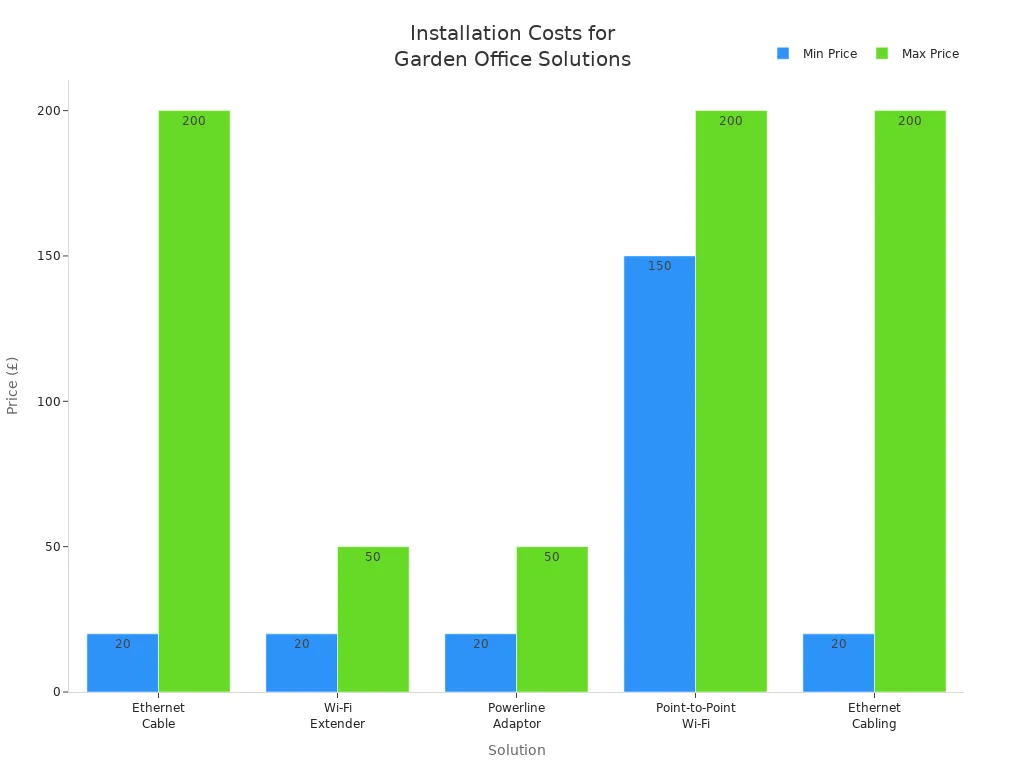
Cost and Installation Time
Let’s break down what you can expect to spend and how long each setup might take. Some solutions, like wi-fi extenders and powerline adaptors, offer quick access to broadband. Others, like ethernet cabling or point-to-point wi-fi, require more time and sometimes professional help.
Practical Setup Tips
You want your office setup to last. Here are some tips from the pros:
Set up a stable and fast-wired network using cables, switches, and routers.
Create a wireless network with good coverage using hotspots or mesh systems.
Test your wi-fi connection before you finish your setup.
Place your router or wi-fi extender near your office for a decent wi-fi signal.
Always check your broadband access and power needs before you start.
If you want reliable internet and power in your garden office room, plan your setup carefully. You’ll enjoy better internet connection, fewer dropouts, and a more productive office.
You have plenty of ways to get Wi-Fi and electricity to your garden office cabin. Choose what works for your skills, budget, and how you want to use your garden office cabin. If you want a permanent setup, run cables to your garden office cabin. For a quick fix, try a mobile hotspot in your garden office cabin. Always check safety rules before you wire your garden office cabin. If you plan remote working or need a remote setup, ask for help with your garden office cabin. Here’s a look at services for complex garden office cabin installs:
You can always make your garden office cabin the perfect spot for work or relaxation.
FAQ
How deep should I bury cables for my container office?
You should bury power and Ethernet cables at least 18 inches deep. This keeps them safe from weather and accidental damage. Always check your local codes before you start digging.
Can I install Wi-Fi and electricity myself?
You can set up Wi-Fi extenders or mobile hotspots on your own. For permanent electricity, hire a licensed electrician. This keeps your setup safe and up to code.
What if my Wi-Fi signal is weak in the garden office cabin?
Try moving your router closer or use a point-to-point Wi-Fi bridge. You can also add a mesh system for better coverage. Test different spots to find the strongest signal.
Is solar power enough for all my office devices?
Solar power works for lights, laptops, and small devices. If you use heaters or large equipment, you may need a bigger system or backup power. Check your daily energy needs first.